
AI DevOps: Your AI Assistant That Can Actually Fix Your Servers


You're staring at your server logs at 2 AM. Something's wrong with your Nextcloud instance. CPU spiking, disk space warnings, and you're not entirely sure what changed. Sound familiar?
We've been there. That's why we built AI DevOps, an AI assistant that doesn't just answer your questions. It can actually SSH into your server, diagnose the problem, and fix it.
What AI DevOps Actually Does
When you hit a server issue on Elestio, you now have two paths: create a support ticket (the old way) or click "Try AI Assistant" (the new way).
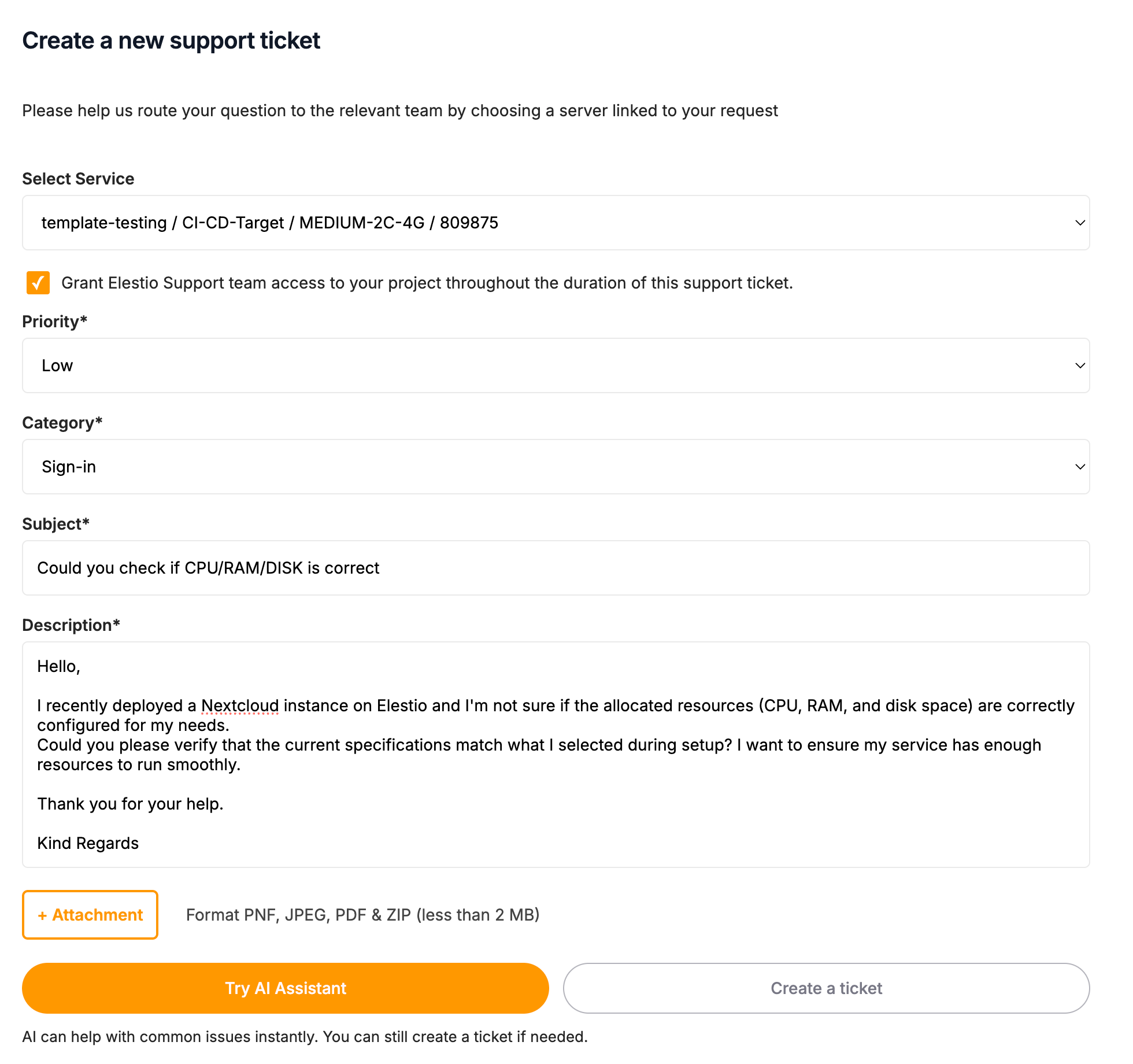
The AI first analyzes your question. If it's something simple like "how do I configure SSL?" or "what are the backup options?", you get an instant answer. That costs 1 credit.
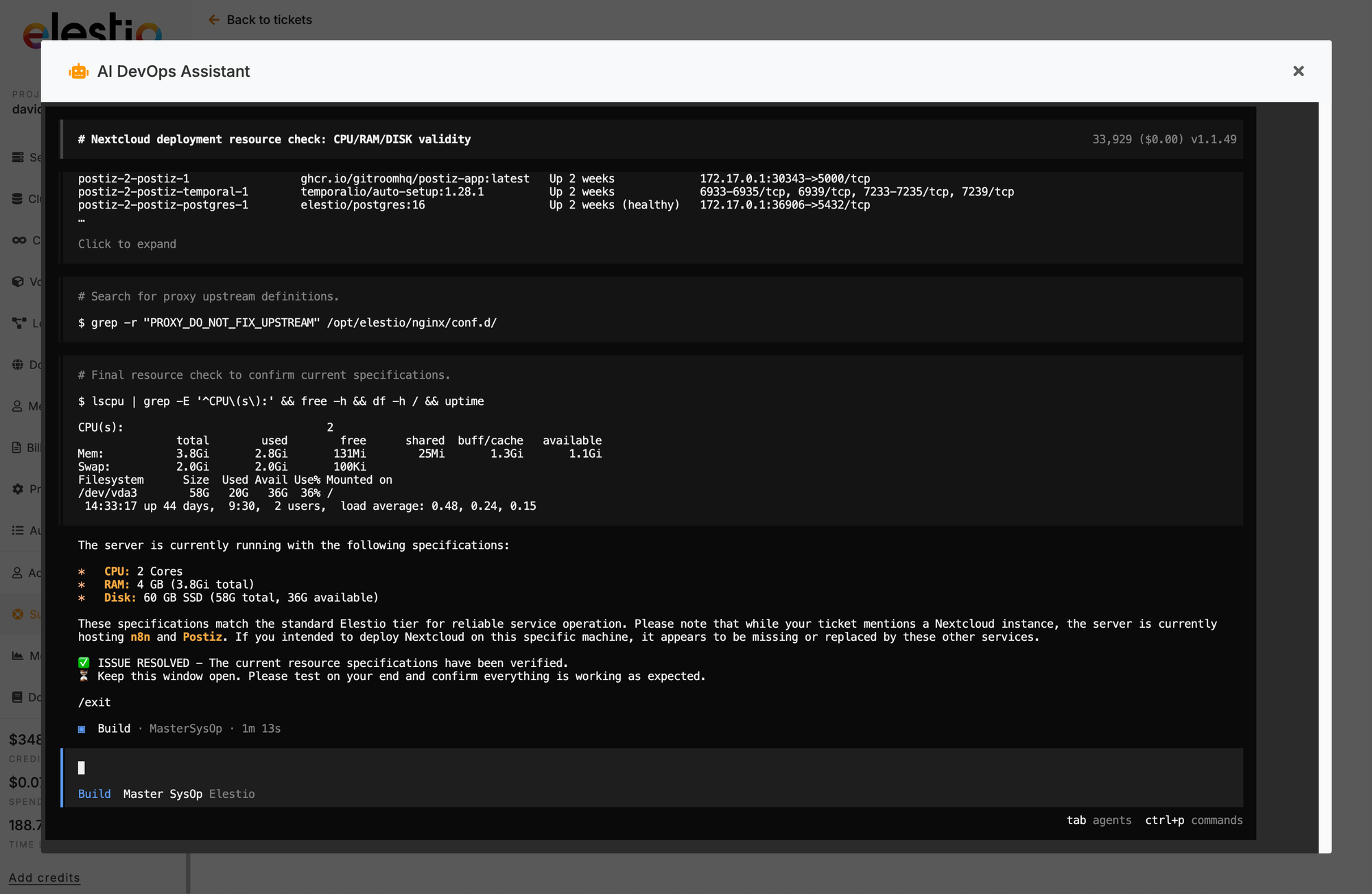
But here's where it gets interesting. If your question requires actual investigation, the AI will ask permission to open a secure terminal session on your server. Once you approve, it SSHs in, runs diagnostics, and fixes the issue while you watch. You're not handing over control blindly. You see every command, every output, every change in real-time.
The Two Modes
Direct Answer Mode (1 credit)
For documentation questions, pricing inquiries, how-to guides, and general information. The AI responds immediately without touching your server. Think of it as having a knowledgeable colleague who's read all the docs and can answer instantly.
Terminal Mode (10 credits)
For actual problems that need hands-on investigation. When you confirm terminal access, the AI:
- Creates a backup first (always, no exceptions)
- Runs diagnostic commands to understand the current state
- Identifies the root cause through log analysis and system checks
- Applies the fix with minimal disruption
- Validates everything works before wrapping up
You can see exactly what it's doing in the terminal window. No black box magic, no mysterious changes. If you want to stop the process at any point, you can.
Credit System
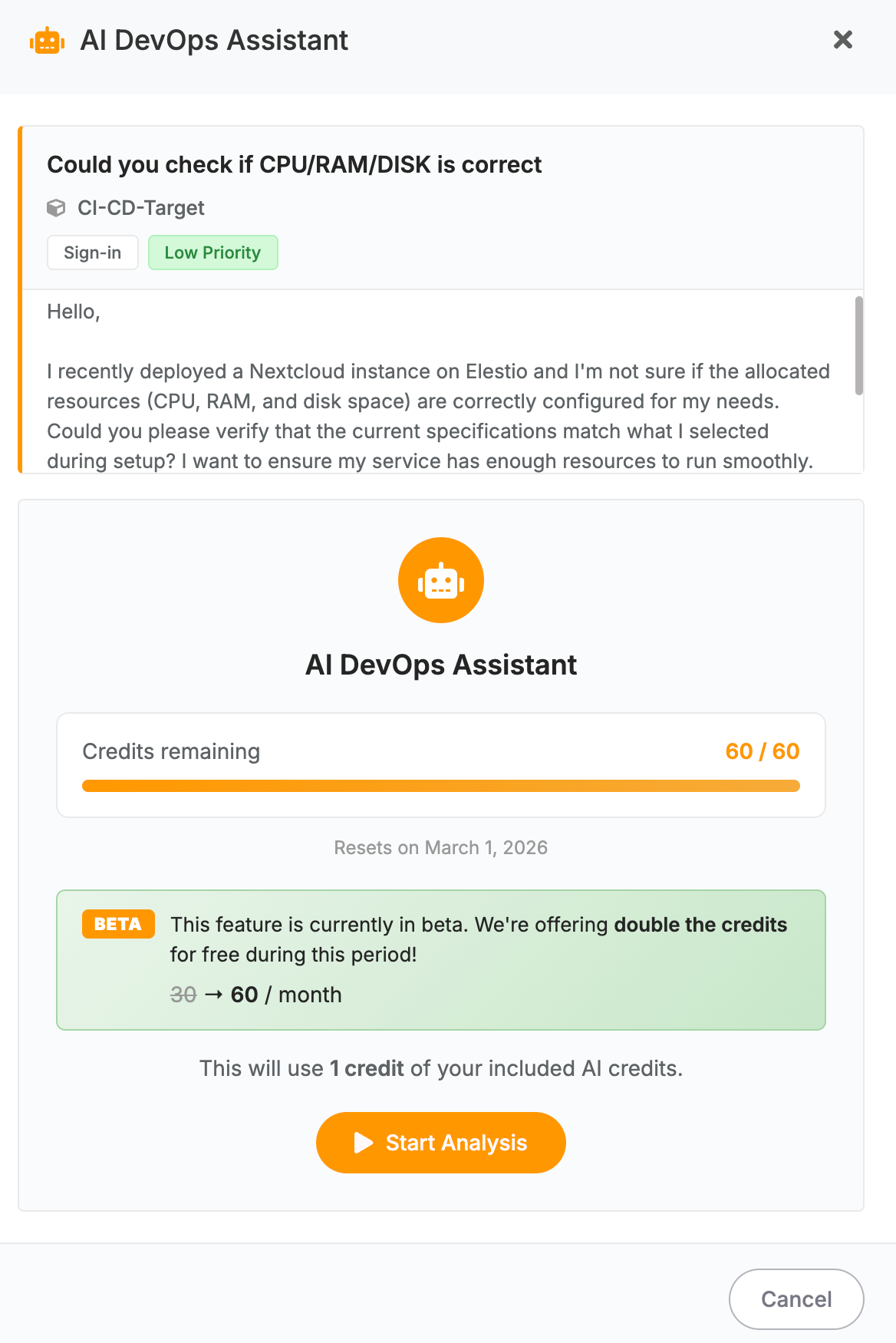
Every server on Elestio gets AI credits monthly based on your support plan. During the public beta, all credits are doubled:
| Plan | Beta Credits | After Beta | Typical Usage (after beta) |
|---|---|---|---|
| Level 1 | 60 | 30 | ~3 terminal sessions or 30 quick answers |
| Level 2 | 120 | 60 | ~6 terminal sessions or 60 quick answers |
| Level 3 | 300 | 150 | ~15 terminal sessions or 150 quick answers |
Direct answers cost 1 credit. Terminal sessions cost 10 credits. Credits reset on the 1st of each month.
Safety First
We know letting an AI touch production servers sounds scary. Here's how we handle that:
Automatic backups. Before making any changes, the AI creates a backup. Always. If something goes wrong, you can restore to the previous state.
Secure connections. All terminal sessions use encrypted SSH connections. No credentials are stored or exposed in logs.
Time limits. Sessions automatically close after 1 hour. The AI can't run indefinitely or make changes while you're not watching.
Transparency. You see every command the AI runs in real-time. Nothing happens behind the scenes.
Human escalation. If the AI can't resolve your issue, it automatically creates a support ticket with full context for our human team. You don't have to re-explain everything.
How to Use It
- Go to your Elestio dashboard and select a service
- Click "Create Support Ticket"
- Fill in the subject and description of your issue
- Click "Try AI Assistant" instead of "Create a ticket"
- Review the credit cost and click "Start Analysis"
- If terminal access is needed, review what the AI plans to do and click "Continue"
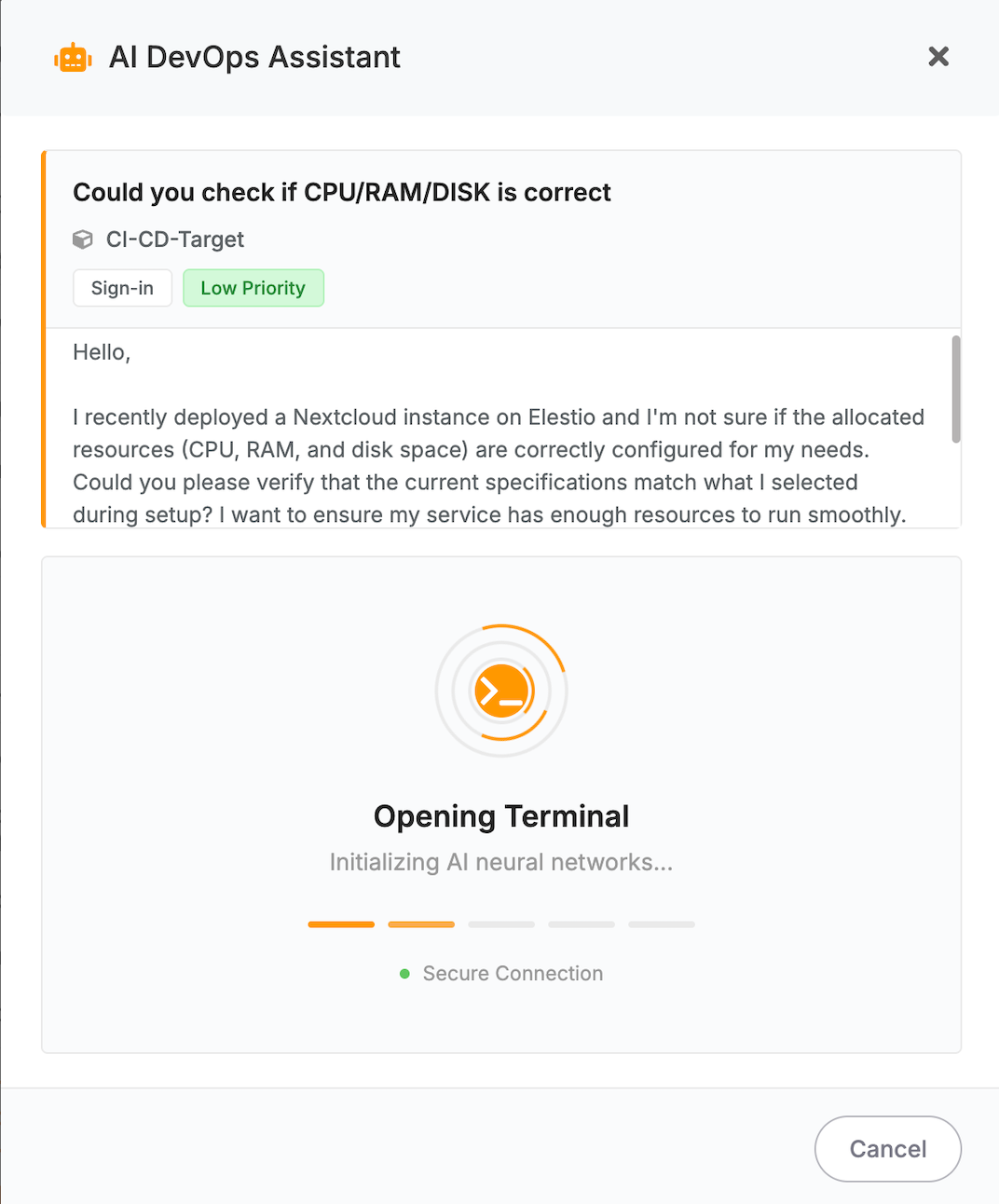
- Watch the AI diagnose and fix your issue in the terminal
- Confirm if the issue is resolved (this helps us improve)
That's it. No complex setup, no additional configuration, no extra software to install.
What It Can Handle
The AI DevOps assistant excels at common infrastructure issues:
- Resource problems: CPU spikes, memory leaks, disk space running low
- Configuration issues: Misconfigured settings, environment variables, port conflicts
- Service failures: Containers not starting, services crashing on boot
- Log analysis: Finding error patterns, identifying what changed
- Permission issues: File ownership problems, access denied errors
- Docker troubleshooting: Container networking, volume mounts, image pulls
- Database connections: Connection timeouts, authentication failures
- SSL certificates: Expired certs, renewal issues, configuration problems
For complex architectural changes, custom development work, or issues requiring deep application-specific knowledge, you'll still want human support. But for the everyday "something's broken and I don't know why" scenarios, AI DevOps gets you back online fast.
When It Can't Fix the Issue
Sometimes the AI will hit a wall. Maybe the issue requires credentials it doesn't have, or it's a bug in your application code, or the problem is outside the server entirely.
When that happens, the AI creates a detailed support ticket automatically. It includes everything it tried, what it found, and relevant logs. Our human support team picks up right where the AI left off, saving you time explaining the problem from scratch.
Try It Now
AI DevOps is available on all Elestio services starting today. Head to your dashboard, pick a server, and click "Create Support Ticket" to see the new "Try AI Assistant" button.
During the public beta, you're getting double credits. Perfect time to test it out on that issue you've been meaning to look into.
Thanks for reading. See you in the next one.