
Fleet: Manage Every Mac, Windows & Linux Device from One Open Source Console

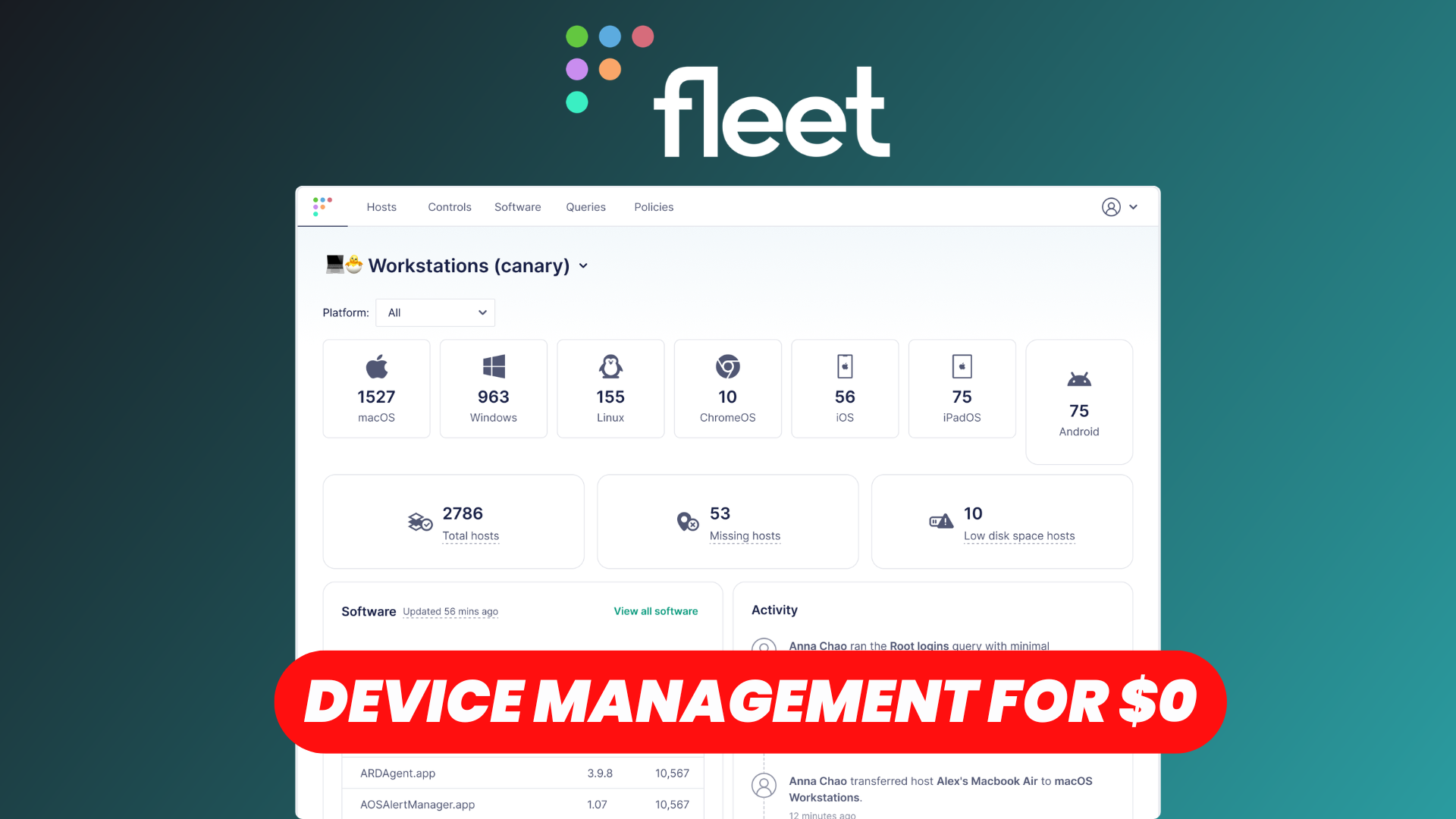
Managing devices across an organization can quickly become complicated, especially when your team uses a mix of macOS, Windows, and Linux computers.
From tracking installed software and monitoring security compliance to enforcing policies and managing devices remotely, IT teams need a centralized solution to keep everything organized.
That's where Fleet comes in.
Fleet is an open-source device management platform that helps IT and security teams monitor, secure, and manage their organization's devices from a single console.
With features like device inventory, software management, custom reports, security policies, and Mobile Device Management (MDM), Fleet provides a unified approach to endpoint management.
In this article, we'll explore Fleet's main features and see how it can simplify device management across your organization.
Watch our dedicated platform overview
Hosts
The Hosts section is where Fleet brings together all the devices enrolled in your organization.
Instead of managing computers individually, Fleet provides a centralized inventory of your endpoints, including macOS, Windows, and Linux devices.
For each host, you can access detailed information such as:
- Operating system and version
- Hardware specifications
- Device serial number
- IP address and network information
- Installed software
- Disk encryption status
- Last activity and connectivity status
You can also inspect individual hosts to get a more comprehensive overview of their configuration and security posture.
Fleet uses osquery to collect endpoint information, making it possible to retrieve detailed system data using SQL queries.
This is particularly useful for IT administrators managing distributed teams, as they can investigate devices remotely without needing physical access.
Whether you're tracking hundreds of laptops or maintaining a smaller collection of workstations, the Hosts section provides a clear overview of your infrastructure.
Software
Keeping track of installed software is an essential part of endpoint management.
Fleet's Software section provides a centralized inventory of applications installed across your organization's devices.
You can identify which applications are being used, review their versions, and determine which hosts have specific software installed.
This helps IT teams identify outdated applications, investigate potential security vulnerabilities, and maintain visibility over their software environment.
Fleet also offers software installation and management capabilities for supported platforms, allowing administrators to deploy applications to managed devices.
By combining software inventory and management in one interface, Fleet reduces the need to switch between multiple tools.
Reports
One of Fleet's most powerful features is its ability to generate custom reports using SQL queries.
Powered by osquery, Fleet allows administrators to retrieve specific information from their endpoints without manually inspecting each machine.
For example, you can create reports to identify:
- Devices running outdated operating systems
- Computers with specific applications installed
- Hosts with particular hardware configurations
- Devices missing important security settings
- Systems that require additional investigation
Reports can be executed across selected hosts, giving administrators a consolidated view of the results.
Fleet also supports scheduled queries, allowing teams to collect information regularly and use the results for monitoring or analysis.
This flexibility makes Fleet especially useful for organizations with custom infrastructure requirements that aren't covered by traditional device management dashboards.
Policies
Security policies help organizations ensure that their devices meet established configuration and compliance requirements.
Fleet provides a Policies section where administrators can define rules that devices should follow.
These policies are based on SQL queries that evaluate the state of each endpoint.
For example, you can create policies to verify that:
- Disk encryption is enabled
- The operating system meets your minimum version requirements
- Required security software is installed
- Firewall settings are configured correctly
- Specific applications or configurations are present
Fleet automatically evaluates these policies and identifies hosts that pass or fail each check.
This gives IT and security teams a centralized view of compliance across their infrastructure.
Instead of manually checking individual devices, administrators can quickly identify systems that need attention.
Policies can also support automated workflows and integrations, helping teams respond to configuration issues more efficiently.
For organizations working toward internal security standards or compliance requirements, this provides a practical way to continuously monitor device configurations.
Dashboard & Audit Trail
Fleet includes a centralized Dashboard that provides a high-level overview of your device environment.
From here, administrators can quickly review important information about their hosts, operating systems, software, and security posture.
This makes it easier to identify potential issues without navigating through every individual section.
Fleet also includes an Audit Trail, which records administrative activities performed within the platform.
This helps organizations understand what changes were made, when they occurred, and which administrator performed them.
Audit logs are particularly valuable for security investigations, operational accountability, and compliance reviews.
Together, the dashboard and audit trail provide both visibility into your infrastructure and traceability for management activities.
Labels
As your device inventory grows, organizing endpoints becomes increasingly important.
Fleet uses Labels to group hosts based on specific characteristics or conditions.
For example, you can create labels for:
- macOS, Windows, or Linux devices
- Devices belonging to a particular department
- Computers with specific software installed
- Hosts matching custom hardware requirements
- Devices that meet certain configuration criteria
Labels can be defined dynamically using queries, allowing Fleet to automatically group hosts based on their current state.
These groups can then be used to target queries, organize devices, and simplify management workflows.
This is especially helpful for organizations with multiple teams, locations, or device configurations.
Integrations
Fleet can integrate with external services to extend its functionality and fit into your existing IT workflows.
Integrations can help organizations connect device management with security monitoring, identity management, ticketing, and automation systems.
Fleet also provides an API, making it possible to interact with the platform programmatically.
Developers and administrators can use the API to retrieve device information, automate management tasks, and build custom integrations.
This makes Fleet particularly attractive for teams that prefer flexible, programmable infrastructure tools rather than relying entirely on closed ecosystems.
Mobile Device Management
Beyond device inventory and security monitoring, Fleet also provides Mobile Device Management (MDM) capabilities.
This allows organizations to manage supported devices directly from the Fleet console.
Depending on the operating system and device enrollment method, Fleet can help administrators:
- Enroll and configure devices
- Deploy configuration profiles
- Enforce security settings
- Manage supported software installations
- Perform remote management actions
- Maintain visibility over managed endpoints
Fleet's MDM capabilities are particularly useful for organizations managing Apple devices alongside Windows and Linux computers.
By combining endpoint visibility, security policies, and device management, Fleet helps reduce the fragmentation that often comes with using separate tools for different operating systems.
Some management capabilities depend on the platform and Fleet edition, so it's worth reviewing the documentation to determine which features are available for your environment.
Documentation
Fleet provides comprehensive documentation covering installation, configuration, device enrollment, queries, policies, and management features.
Whether you're deploying Fleet for the first time or exploring more advanced functionality, the documentation offers practical guidance and technical references.
You can explore the official documentation here:
Conclusion
Fleet offers a powerful open-source approach to managing devices across macOS, Windows, and Linux environments.
By bringing together device inventory, software visibility, SQL-based reporting, security policies, and MDM capabilities, it helps IT teams manage their infrastructure from a centralized platform.
Its integration with osquery makes it particularly flexible, allowing organizations to investigate endpoints and build custom monitoring workflows tailored to their needs.
Whether you're managing a small team or a large fleet of devices, Fleet is an interesting solution for simplifying endpoint management while maintaining control over your infrastructure.
Want to try Fleet without dealing with the complexity of self-hosting?
With Elestio, you can deploy Fleet on fully managed infrastructure and focus on exploring its features instead of maintaining the underlying server.