
Horilla: Free Open Source Alternative to BambooHR & Zoho People

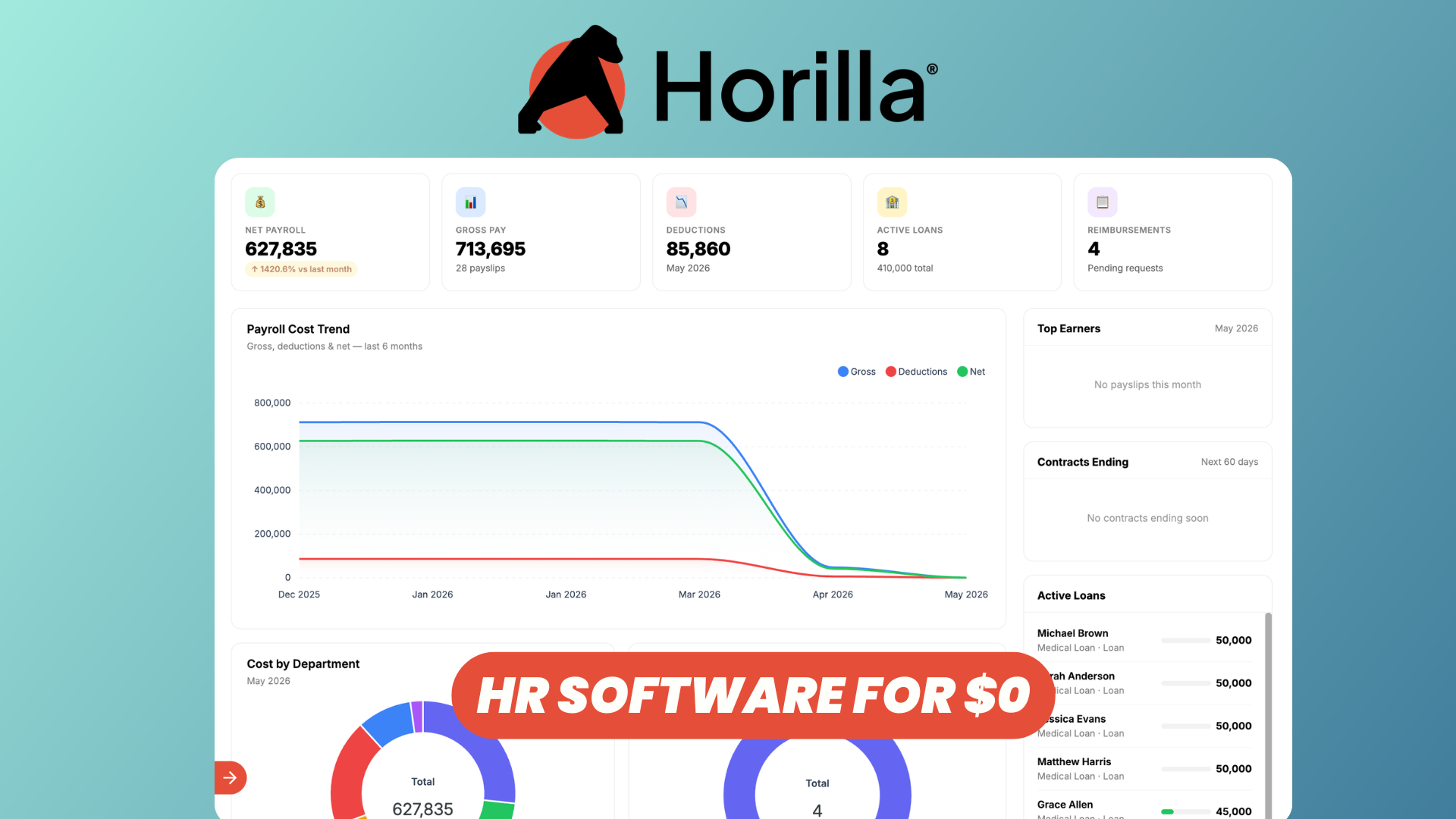
Managing employees, attendance, payroll, recruitment, and performance often means relying on platforms like BambooHR or Zoho People — and paying recurring subscription fees as your team grows.
Horilla offers a different approach.
Horilla is an open-source Human Resource Management System (HRMS) designed to bring the main HR workflows into a single platform. It covers employee management, attendance, leave, payroll, recruitment, onboarding, performance management, and more.
Because it is open source, organizations can self-host Horilla and maintain greater control over their infrastructure and HR data while also being able to customize the platform to their requirements.
In this overview, we'll explore the main features of Horilla and see why it can be an interesting open-source alternative to BambooHR and Zoho People.
Watch our dedicated platform overviewop
Customizable Dashboard
The first thing you'll encounter in Horilla is the dashboard, which gives HR teams a centralized overview of what's happening across the organization.
Rather than jumping between different modules to find basic information, dashboards can surface useful workforce information such as attendance, leave, employee activity, and other HR metrics.
Horilla also provides employee-focused dashboards, allowing individual employees to quickly access information relevant to them.
This gives both administrators and employees a useful starting point whenever they log into the platform.
Multi-Companies
Horilla isn't limited to organizations operating through a single company.
Its multi-company capabilities make it possible to manage multiple entities within the same HR environment, which can be particularly useful for groups operating several businesses, subsidiaries, or legal entities.
Instead of deploying and maintaining a completely separate HR system for every company, teams can centralize more of their HR operations while still organizing employees according to the appropriate company structure.
Employees
At the center of any HRMS is employee management, and Horilla provides a centralized location for managing your workforce.
Employee profiles can be used to keep important employment information organized and accessible. HR teams can manage employees, departments, job positions, reporting structures, documents, work information, and other records from the platform.
Horilla also provides an organization chart, making it easier to understand how employees, managers, departments, and teams fit together.
The result is essentially a single source of truth for employee information instead of spreading HR data across spreadsheets and disconnected tools.
Attendance & Leave
Horilla includes dedicated attendance and leave management systems.
For attendance, organizations can track employee check-ins and check-outs, worked hours, overtime, late arrivals, early departures, shifts, and related attendance information. Horilla can also integrate attendance data into other workflows such as payroll.
Leave management operates within the same environment.
Organizations can configure different types of leave and their associated policies, while employees can submit leave requests and managers can review and approve them.
Leave balances can then be tracked automatically, including policies around accruals and carry-forward.
Keeping attendance and leave together is especially useful because both ultimately affect payroll and employee records.
Automated Payroll
Payroll is another major component of Horilla.
Instead of manually transferring attendance information into spreadsheets or a separate payroll system, Horilla can use attendance and leave data as inputs for payroll calculations.
The system supports salary structures, allowances, deductions, overtime, payslips, loans, reimbursements, and payroll reporting.
Because these modules share the same underlying employee information, changes in attendance or unpaid leave can flow into payroll without requiring HR teams to repeatedly enter the same data.
This integration between employee records, attendance, leave, and payroll is one of the advantages of using an all-in-one HRMS rather than combining several independent applications.
Performance & OKRs
Horilla also includes tools for managing employee performance.
Organizations can define goals and OKRs and track progress across the company, team, and individual levels.
Performance management isn't limited to objectives either. Horilla supports structured review cycles, including self-reviews, manager reviews, peer feedback, and 360-degree evaluations.
This gives HR teams a more structured way to manage performance throughout the year instead of relying exclusively on an annual appraisal.
Combining performance information with the rest of the employee profile also helps keep goals, feedback, and reviews connected to the employee's broader history within the organization.
Recruitment, Onboarding, & Offboarding
Horilla can manage much more than existing employees. It also covers the lifecycle before someone joins the company and when they eventually leave.
The recruitment module provides tools for managing job openings and candidates through a recruitment pipeline.
Recruiters can organize applicants through different stages, schedule interviews, collect evaluations, manage offers, and ultimately move successful candidates into onboarding.
Once someone is hired, onboarding workflows help coordinate the tasks and information required to turn a candidate into an active employee.
Horilla also provides offboarding functionality for managing the other end of the employee lifecycle.
This means HR teams can potentially manage the journey from candidate to employee — and eventually former employee — without moving records between several unrelated platforms.
Projects: A Lite Horilla CRM
Another interesting aspect of Horilla is that the ecosystem extends beyond traditional HR functionality.
Horilla includes project-related functionality, while the broader Horilla platform also includes CRM capabilities for managing business and customer operations.
For organizations that don't need a large dedicated project management or CRM platform, these capabilities can provide a lightweight way to keep additional operational information closer to the rest of the business system.
This makes Horilla more than simply an employee database and helps extend the platform into broader business management use cases.
Documentation
If you want to install Horilla yourself or explore its features in more detail, there is extensive Horilla documentation.
The documentation covers the different HRMS modules and provides additional information for configuring and working with the platform.
This is particularly important for a self-hosted solution because you're not locked into a managed SaaS environment. Technical teams can inspect the software, deploy it on their own infrastructure, and adapt it to their organization's requirements.
Conclusion
Horilla is an interesting option for organizations looking for a free and open-source alternative to platforms such as BambooHR and Zoho People.
It covers most of the fundamental workflows you would expect from a modern HRMS: employee management, attendance, leave, payroll, performance and OKRs, recruitment, onboarding, offboarding, and additional business-management capabilities.
Its biggest differentiator is the open-source model.
Instead of depending entirely on a proprietary HR SaaS platform, organizations can self-host Horilla, access the source code, customize the software, and retain greater control over their deployment and data.
For small and growing companies in particular, that makes Horilla worth exploring if you want a comprehensive HR platform without building your HR stack around several separate subscription-based services.
You can deploy Horilla and check out the official documentation to learn more about its features and configuration.