
OpenRAG: Free Self-Hosted NotebookLM Alternative for Your Documents

AI-powered document search is quickly becoming one of the most useful applications of large language models. Instead of manually digging through PDFs, documentation, reports, and internal files, you can simply ask questions and get answers based on your own data.
Google NotebookLM is one of the best-known tools for this, but what if you want something you can host yourself, customize, and integrate into your own AI workflows?
That's where OpenRAG comes in.
OpenRAG is a free and open-source platform for building Retrieval-Augmented Generation, or RAG, systems around your own documents and knowledge.
It combines technologies including Langflow, OpenSearch, and Docling into a complete platform for ingesting documents, searching your knowledge base, and interacting with it using AI.
In this overview, we'll explore how OpenRAG works, what makes it different from a traditional document chatbot, and how you can extend it using APIs, MCP, and Langflow.
Watch our platform overview
LLM Providers
One of the first things you'll configure in OpenRAG is the AI models powering your deployment.
OpenRAG separates the language model used to generate responses from the embedding model used to index and search your documents.
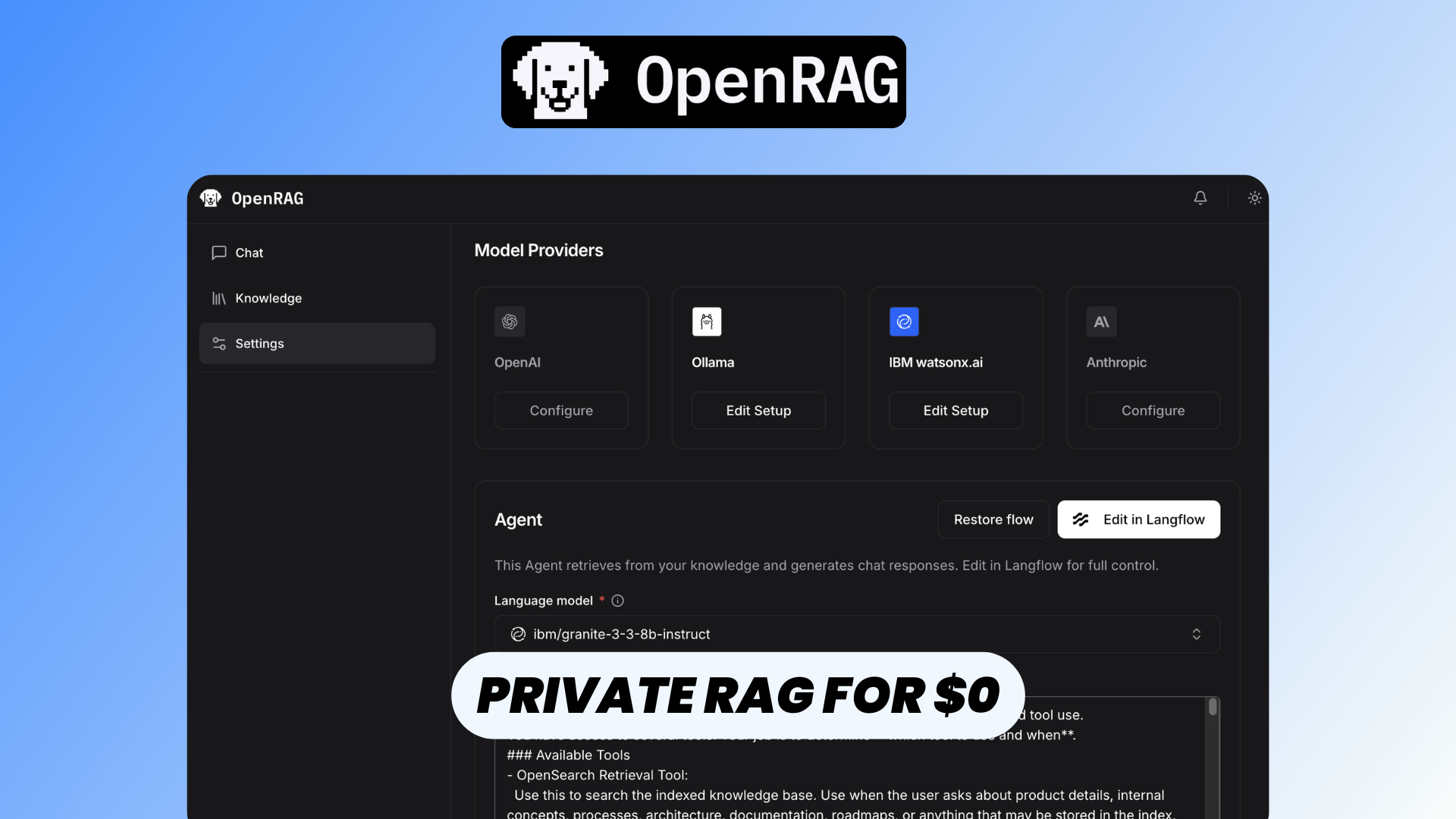
It currently provides built-in support for providers including OpenAI, Anthropic, IBM watsonx.ai, and Ollama.
This also means you're not necessarily dependent on a single AI provider.
For example, you could use a cloud-based LLM while keeping your document embeddings separate, or use Ollama to connect OpenRAG to models running on infrastructure you control.
OpenRAG requires at least one language model and one embedding model. The LLM also needs to support tool calling, since OpenRAG's chat experience is built around an AI agent capable of interacting with retrieval and other tools.
You can find more information about configuring models in the OpenRAG documentation.
What Makes OpenRAG Different?
At first glance, OpenRAG might look similar to other "chat with your documents" applications.
But what's happening underneath is considerably more interesting.
Instead of being a simple interface that sends documents to an LLM, OpenRAG combines several specialized open-source projects into a complete RAG stack.
Langflow provides the AI workflow and agent orchestration layer.
OpenSearch stores your documents and vector embeddings and handles retrieval.
Docling handles document parsing and chunking, including more complex document formats such as PDFs.
OpenRAG then provides the application layer connecting everything together, including the frontend, backend, document management, integrations, and chat experience.
This modular architecture is one of the biggest differences between OpenRAG and more closed services.
Rather than treating the RAG pipeline as a black box, OpenRAG gives you access to the components and workflows behind it.
File Embedding
Before an AI can answer questions about your documents, those documents need to be transformed into something that can be efficiently searched.
OpenRAG handles this through its knowledge ingestion pipeline.
When you add documents, Docling first processes and parses their contents.
This is particularly useful with real-world documents. PDFs, for example, aren't necessarily just blocks of text. They can contain headings, tables, complex layouts, and other structural information that needs to be interpreted correctly.
The document is then divided into smaller chunks and passed through an embedding model.
Embeddings represent the meaning of those chunks as vectors. OpenRAG stores the documents and their associated vector data inside OpenSearch.
Later, when you ask a question, OpenRAG can perform similarity and hybrid searches to find the information that's most relevant to your request.
Instead of sending your entire document library to an LLM every time you ask something, OpenRAG retrieves the useful pieces first.
The process essentially becomes:
Documents → Parsing → Chunking → Embeddings → OpenSearch → Retrieval → LLM
That's the fundamental principle behind Retrieval-Augmented Generation.
You can learn more about the ingestion process in the OpenRAG Knowledge documentation.
Drive Integrations
Of course, manually uploading files isn't always practical.
Organizations often already have thousands of documents stored across cloud storage platforms, so OpenRAG also provides external knowledge connectors.
OpenRAG currently supports connections to:
- Google Drive
- Microsoft OneDrive
- Microsoft SharePoint
- Amazon S3
These integrations allow you to bring documents from your existing storage infrastructure into your OpenRAG knowledge base.
Connectors can also support automatic ingestion, allowing changes in connected cloud storage to be reflected in your knowledge base without requiring users to continuously upload files manually.
This makes OpenRAG much more practical for building an internal company knowledge base where documents are constantly being created and updated.
More information about setting these up is available in the OpenRAG connector documentation.
Chat With Your Data
Once your documents have been ingested, you can interact with them through the OpenRAG Chat interface.
Instead of searching folders, filenames, or individual PDFs, you can ask questions using natural language.
For example, imagine importing hundreds of pages of technical documentation.
Instead of manually searching for the right section, you could simply ask:
"How do I configure authentication for the API?"
The OpenRAG agent interprets your question, searches the OpenSearch knowledge base for relevant information, and then gives that context to the configured LLM to generate an answer.
This is fundamentally different from simply asking a normal chatbot the same question.
The goal isn't for the model to answer based exclusively on what it learned during training. It's able to retrieve information directly from your own knowledge base.
You can also apply filters to control which parts of the knowledge base are available to the agent.
OpenRAG can even ingest information from URLs provided during a conversation, allowing the agent to bring additional web content into the knowledge base when necessary.
This makes OpenRAG useful for internal documentation, research libraries, technical manuals, company knowledge bases, support documentation, policies, and many other document-heavy workflows.
MCP & API Access
OpenRAG isn't limited to its own web interface.
For developers, one of the most interesting aspects of the platform is its support for SDKs, APIs, and the Model Context Protocol (MCP).
OpenRAG provides official Python and TypeScript/JavaScript SDKs for interacting with a deployment programmatically.
This means your knowledge base doesn't have to remain an isolated chatbot.
You could build an internal support application that searches company documentation, add document intelligence to an existing SaaS application, or use OpenRAG as the retrieval infrastructure behind your own AI product.
OpenRAG also exposes a built-in MCP endpoint at /mcp.
MCP provides a standardized way for compatible AI clients and agents to communicate with external tools and systems.
This creates an interesting architecture where OpenRAG can essentially become the knowledge layer for other AI applications and agents.
Instead of repeatedly uploading the same documents to different assistants, you can maintain a centralized RAG infrastructure and expose its capabilities programmatically.
Developers can find the available interfaces in the OpenRAG SDK and MCP API documentation.
Langflow Fine Tuning
One of OpenRAG's biggest advantages over simpler NotebookLM-style applications is its deep integration with Langflow.
Langflow provides the workflow and orchestration layer behind OpenRAG.
OpenRAG actually includes several built-in Langflow flows. For example, one powers the main OpenRAG chat agent, while others handle document ingestion, URL ingestion, and contextual suggestions.
A typical RAG workflow might conceptually look something like:
Question → Agent → Search → Retrieve Context → LLM → Answer
But your application might require something completely different.
You may want to change the model, adjust retrieval behavior, modify the agent instructions, introduce additional tools, connect an MCP server, call an external API, or even replace entire components of the pipeline.
OpenRAG exposes an embedded Langflow visual editor where you can inspect and modify these workflows.
And because the architecture is modular, advanced users can go significantly further by creating custom Langflow flows and components.
This is an important distinction between OpenRAG and many consumer-focused document-chat applications.
OpenRAG can provide a relatively straightforward interface for users while exposing a much more customizable AI infrastructure underneath for developers.
You can explore these capabilities in the OpenRAG Langflow documentation.
Documentation
If you want to deploy OpenRAG yourself or explore its more advanced capabilities, the official documentation provides information about installation, configuration, knowledge ingestion, connectors, Langflow, APIs, SDKs, MCP, and more.
You can find the complete documentation at the OpenRAG documentation.
For developers in particular, it's worth exploring how the Langflow workflows, OpenSearch knowledge base, and SDK/MCP interfaces fit together.
These are the features that allow OpenRAG to go beyond simply being another application for chatting with PDFs.
Conclusion
OpenRAG is much more than another interface for chatting with documents.
It combines document ingestion, embeddings, hybrid search, RAG workflows, AI agents, cloud storage integrations, APIs, MCP, and Langflow into an open-source platform for building AI-powered knowledge systems.
If all you need is a convenient place to upload a few documents and ask questions, a hosted service like NotebookLM may be easier.
But OpenRAG becomes particularly interesting when you want control, privacy, and extensibility.
You can self-host the platform, build your own knowledge base, connect existing document storage, choose your AI providers, customize the underlying Langflow workflows, integrate OpenRAG into your own applications, and expose your knowledge infrastructure to AI agents through MCP.
That makes OpenRAG an interesting open-source NotebookLM alternative—and potentially the foundation for something much larger than a document chatbot.
If you'd like to deploy OpenRAG without manually setting up and maintaining the complete infrastructure yourself, you can also deploy OpenRAG with Elest.io.