
Opik: Free Open Source Alternative to LangSmith & Braintrust

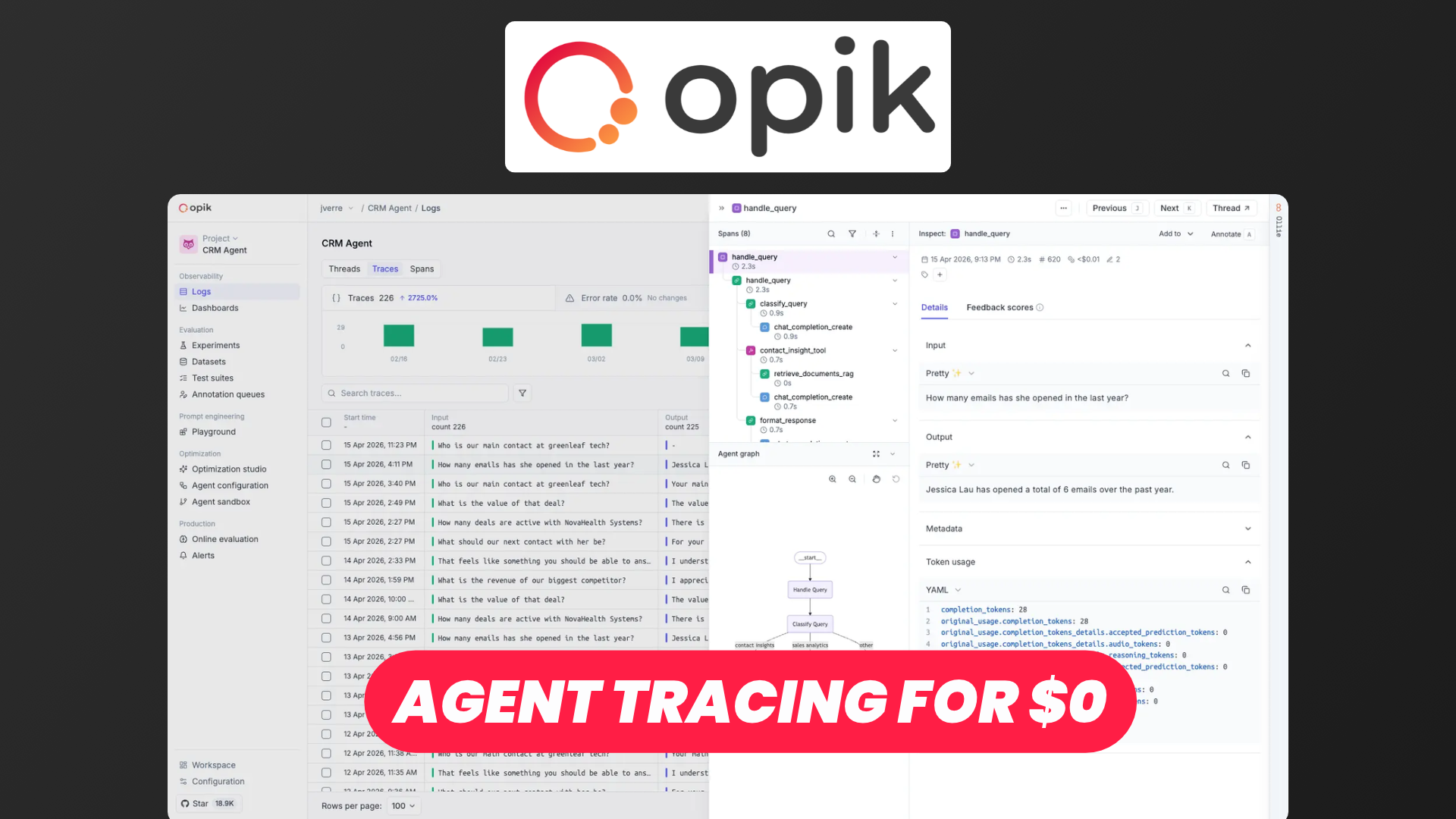
Building AI-powered applications goes far beyond sending prompts to large language models. As applications become more sophisticated, monitoring LLM responses, debugging AI agents, evaluating output quality, and optimizing costs become essential to delivering reliable experiences in production.
Opik is a free, open-source platform developed by Comet for observing, evaluating, and improving LLM applications. It provides developers with a centralized environment to track AI interactions, visualize execution traces, run experiments, manage prompts, and monitor application performance.
As an open-source alternative to LangSmith and Braintrust, Opik allows you to self-host your AI observability infrastructure, maintain control over your data, and integrate with a wide range of AI providers and frameworks without being locked into a specific ecosystem.
In this article, we'll explore Opik's main features and discover how it can help you build more reliable and efficient AI applications.
Watch our dedicated platform overview
AI Providers
Opik supports a wide range of AI providers, allowing you to work with different language models from a single interface.
From the workspace settings, you can configure your preferred providers by entering their API credentials. Supported providers include:
- OpenAI
- Anthropic
- Google Gemini
- Azure OpenAI
- Amazon Bedrock
- OpenRouter
- Ollama
- Custom OpenAI-compatible endpoints
Once configured, these models become available for prompt experimentation and automated evaluations.
Support for locally hosted models through Ollama and compatible endpoints is particularly interesting for developers who want to reduce their dependency on commercial AI services and maintain greater control over their data.
Opik Observability & Traces
One of Opik's core features is its observability system, which gives you detailed insights into what happens behind the scenes of your AI applications.
Instead of relying on traditional application logs, Opik provides structured traces that represent the execution of an AI workflow from start to finish.
Each trace can contain multiple spans representing individual operations, such as LLM requests, database queries, tool calls, or document retrieval.
From the observability interface, you can inspect:
- Input and output data.
- Individual steps within an AI workflow.
- Execution time and latency.
- Token consumption and estimated costs.
- Model configurations and metadata.
- Errors and exceptions.
- User feedback and evaluation scores.
Traces can also be grouped into conversation threads, making it easier to analyze interactions with conversational AI agents across multiple messages.
For example, if you're building a RAG-powered chatbot that generates an incorrect answer, you can investigate whether the issue comes from document retrieval, prompt construction, or the language model itself.
Opik provides Python and TypeScript SDKs alongside integrations with popular frameworks such as LangChain, LangGraph, LlamaIndex, and CrewAI, making it easy to integrate observability into existing projects.
AI Agent Evaluation, Datasets & Experiments
Monitoring AI applications is important, but understanding whether their responses actually meet your expectations is equally essential.
Opik provides a complete evaluation system to help developers measure and improve the quality of their AI applications.
Datasets
Datasets allow you to organize collections of inputs, expected outputs, and additional contextual information that can be reused across evaluations.
For example, if you're developing an AI-powered customer support assistant, you could create a dataset containing frequently asked questions alongside their expected answers.
You can progressively enrich your datasets with real-world examples collected from production traces, including cases where your application failed to provide a satisfactory response.
Evaluation Metrics
Opik provides built-in evaluation metrics and supports custom metrics tailored to your application's requirements.
These can be used to evaluate criteria such as:
- Answer relevance.
- Hallucinations.
- Context precision and recall.
- Response coherence.
- Task completion.
- Custom business requirements.
You can also leverage the LLM-as-a-judge approach, where another language model evaluates generated responses according to specific instructions.
Experiments
Experiments allow you to run evaluations against your datasets and compare the performance of different application configurations.
You could, for instance, compare several language models, test different system prompts, or evaluate changes to your document retrieval strategy.
Instead of relying on subjective impressions, you can use measurable results to identify which configuration provides the best balance between response quality, execution speed, and operational costs.
This is particularly valuable for detecting regressions before deploying updates to production.
Prompt Library & Improve Prompt
As AI applications grow, managing prompts directly within your source code can quickly become difficult.
Opik addresses this challenge with a dedicated Prompt Library, where you can centralize, organize, and version your prompts.
Developers can maintain different iterations of a prompt, review previous versions, and retrieve prompts programmatically from their applications.
This makes prompt engineering a more structured and collaborative process, rather than a collection of hardcoded instructions scattered across multiple files.
Prompt Playground
The Prompt Playground provides an interactive environment to experiment with prompts and language models without modifying your application code.
You can adjust instructions, change model parameters, provide different inputs, and compare generated responses.
It's particularly useful when evaluating whether a more affordable language model can achieve results comparable to a more expensive one.
Improve Prompt
Opik also provides prompt improvement and optimization capabilities to help you refine your instructions using AI.
Rather than manually rewriting prompts repeatedly, you can leverage AI-assisted optimization to explore alternative formulations and evaluate their effectiveness.
For more advanced use cases, the open-source Opik Agent Optimizer SDK can automate optimization against datasets and evaluation metrics, extending beyond prompts to more complex agent workflows and tool configurations.
Customizable Dashboards
Opik provides customizable dashboards that allow you to visualize the health and performance of your AI applications.
Instead of manually inspecting individual traces, you can create dashboards focused on the metrics that matter most to your projects.
These metrics can include request volume, error rates, response times, token consumption, estimated costs, and evaluation scores.
This makes it easier to identify performance regressions, understand usage patterns, and monitor how your application evolves over time.
For teams operating multiple AI applications, dashboards are particularly useful for bringing together technical and business-oriented metrics into a centralized monitoring environment.
You can, for example, monitor whether a recent prompt update has improved response quality while simultaneously reducing inference costs.
MCP Server
Opik provides an MCP (Model Context Protocol) server that allows compatible AI assistants and development tools to interact directly with your Opik workspace.
This enables you to connect tools such as Claude Code, Cursor, or VS Code Copilot to your observability and evaluation infrastructure.
Through the MCP server, AI assistants can perform operations such as:
- Retrieve and analyze application traces.
- Investigate failed requests.
- Identify expensive or slow operations.
- Explore evaluation results.
- Run evaluations and assist with debugging.
For example, instead of manually investigating why an AI agent failed to complete a task, you could ask your coding assistant to retrieve the relevant trace, analyze its execution, and suggest improvements to your implementation.
By connecting observability data with AI-assisted development tools, Opik helps create a continuous feedback loop between monitoring, debugging, development, and evaluation.
Documentation
Opik provides comprehensive documentation covering everything from initial configuration to advanced integrations and evaluation workflows.
You'll find installation instructions, SDK references, integration examples, self-hosting guides, and tutorials to help you incorporate Opik into your existing AI applications.
Whether you're developing a simple chatbot, a RAG application, or a complex multi-agent system, the documentation provides resources to help you get started.
Conclusion
Opik is a powerful open-source alternative to LangSmith and Braintrust, bringing AI observability, evaluation, prompt management, and performance monitoring into a single platform.
Its extensive provider integrations, detailed execution traces, automated evaluations, customizable dashboards, and MCP server make it a compelling solution for developers and organizations building production-ready AI applications.
Thanks to its open-source nature, you can deploy Opik on your own infrastructure without being tied to a proprietary observability service. While external AI providers may still incur usage costs, the core self-hosted platform is available without software licensing fees.
With Elestio, you can deploy a managed Opik instance without having to worry about the complexities of infrastructure configuration and maintenance, allowing you to focus on building and improving your AI applications.
Ready to take control of your AI observability and evaluation workflows?