
Alexandrie: Free Open Source Markdown Notes App (Notion & Obsidian Alternative)

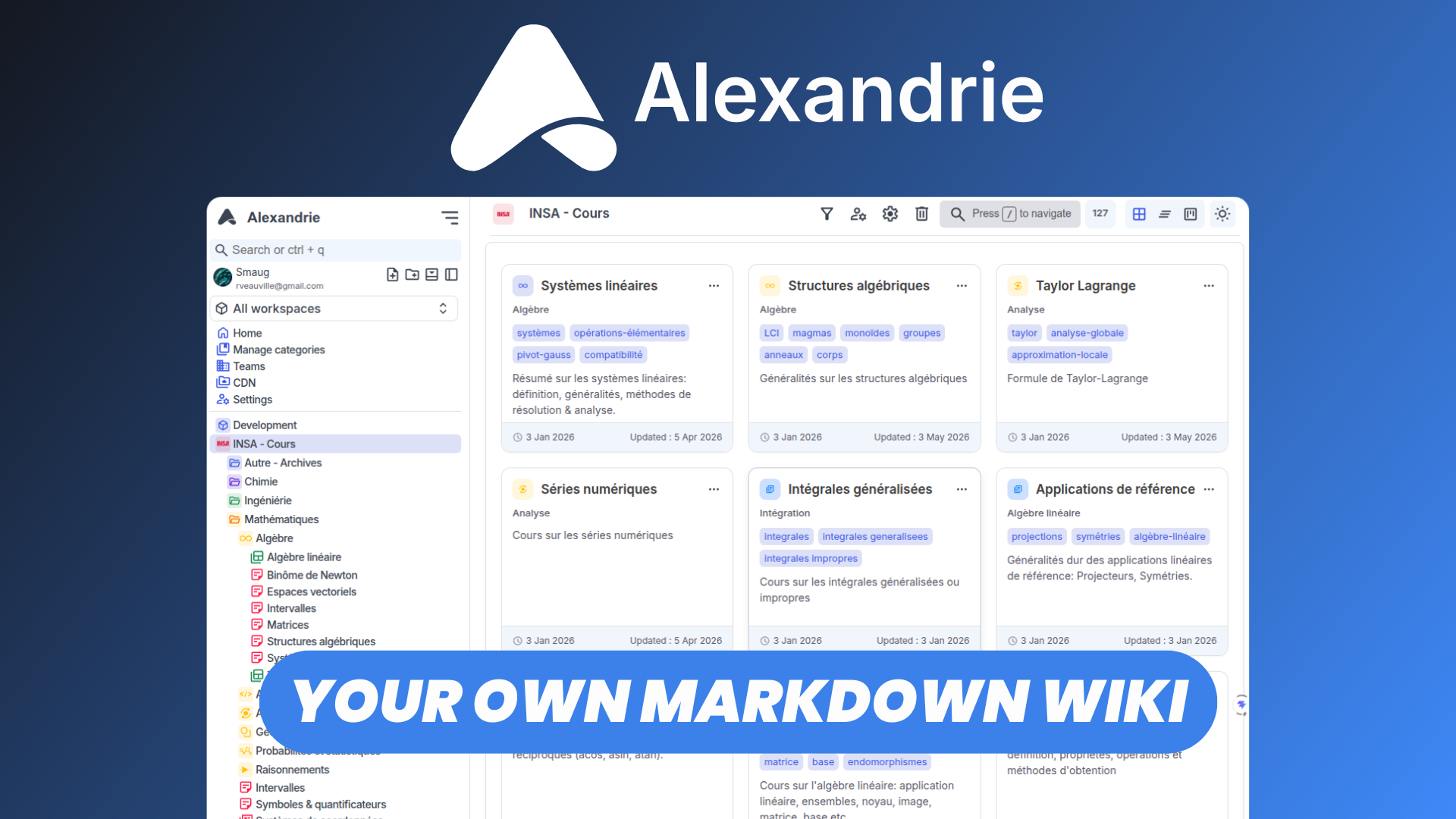
If you're looking for a free, open-source alternative to Notion or Obsidian that combines powerful Markdown editing, organized workspaces, and team collaboration, Alexandrie is worth exploring.
Alexandrie is a modern, self-hostable note-taking and knowledge management platform designed to help individuals and teams create, organize, and share documentation efficiently.
With its fully featured Markdown editor, customizable interface, collaborative workspaces, and offline-first approach, Alexandrie offers a flexible environment for managing everything from personal notes to technical documentation and shared knowledge bases.
In this article, we'll explore Alexandrie's main features and see how it compares to popular note-taking solutions.
Watch our platform overview
Dashboard
Alexandrie provides a centralized dashboard where users can access and manage their notes and documentation.
Rather than navigating through disconnected files, the dashboard serves as a starting point for accessing your knowledge base and moving between different areas of the application.
Its clean interface makes it easier to focus on writing and organizing information without unnecessary distractions.
Whether you're maintaining a personal notebook or managing documentation across multiple projects, the dashboard provides a convenient entry point to your content.
Workspaces
One of Alexandrie's key organizational features is its support for workspaces.
Workspaces allow users to separate notes and documents into dedicated environments, making it easier to manage different projects, subjects, or areas of responsibility.
For example, you could maintain separate workspaces for:
- Personal notes and research
- Software development documentation
- Internal company knowledge
- Project planning and specifications
- Team documentation
This structure is particularly useful when managing a large collection of documents that would otherwise become difficult to navigate.
Combined with Alexandrie's categories and tags, workspaces provide a flexible way to organize information without relying exclusively on traditional folders.
Fully Featured Markdown Documents Editor
At the heart of Alexandrie is its fully featured Markdown editor, designed to make creating and formatting documents straightforward.
Markdown is especially popular among developers, technical writers, and knowledge management enthusiasts because it allows users to format content using a lightweight, readable syntax.
Alexandrie builds on this foundation with a modern editing experience and live rendering capabilities.
The editor supports formatting options such as:
- Headings and text formatting: Structure documents with headings, bold text, italics, and other common Markdown elements.
- Lists and checklists: Organize information into actionable tasks or structured notes.
- Code blocks: Include technical examples and programming snippets in documentation.
- Mathematical expressions: Display mathematical notation using KaTeX.
- Callouts: Highlight important information, warnings, and notes with visually distinct blocks.
- Live Markdown preview: See formatted content as you work.
These features make Alexandrie suitable for more than simple note-taking.
Developers can use it to maintain technical references, teams can build internal documentation, and individuals can create structured personal knowledge bases.
Unlike traditional word processors, Markdown also provides a portable, text-based format that is well suited to long-term documentation.
CDN
Alexandrie includes a file and media management system backed by S3-compatible object storage.
Its deployment stack uses RustFS to store uploaded files and media, with configurable CDN URLs for accessing these resources.
This separation between document content and file storage makes it possible to manage images and other attachments alongside Markdown documentation.
For self-hosted deployments, it also provides greater control over where uploaded resources are stored.
Rather than depending on an external proprietary storage service, organizations can keep their document assets within infrastructure they control.
Commands Center
The Commands Center provides an additional way to navigate and interact with Alexandrie.
Instead of relying entirely on menus and manual navigation, a centralized command interface helps streamline common actions within the application.
This type of workflow is especially useful for users who frequently switch between documents, organize large knowledge bases, or prefer keyboard-driven navigation.
By reducing the amount of time spent moving through the interface, the Commands Center helps keep the focus on writing and managing information.
For users familiar with productivity applications such as Notion or Obsidian, command-oriented navigation is a valuable addition to the editing experience.
Categories & Tags
As a knowledge base grows, organizing information becomes increasingly important.
Alexandrie addresses this with categories and tags, providing multiple ways to structure and classify documents.
Categories allow users to create a hierarchy for their content, including nested categories for more detailed organization.
For example, a development knowledge base might contain categories for frontend development, backend services, infrastructure, and deployment guides.
Tags provide an additional layer of classification, allowing documents to be grouped by topic, purpose, or other relevant attributes.
A document about database optimization, for example, could belong to a backend category while also being tagged with performance, SQL, and troubleshooting.
Combining hierarchical categories with flexible tags makes it easier to maintain a structured knowledge base as the number of documents increases.
Import / Export Data
Data portability is an important consideration when choosing a note-taking application.
Alexandrie includes import and export functionality, helping users manage their information beyond the application itself.
Importing existing content can simplify the transition from another documentation or note-taking workflow, while exporting data provides additional flexibility for backups, migrations, and long-term storage.
Because Markdown is a widely supported format, it is particularly well suited to maintaining documents that can remain useful outside a single application.
This is one of the advantages of choosing an open-source, Markdown-focused platform rather than relying entirely on proprietary document formats.
For anyone building a long-term personal or organizational knowledge base, having control over their information is an important benefit.
Teams
Although Alexandrie works well for personal note-taking, it also supports team-based knowledge management.
Its multi-tenant architecture allows teams to maintain structured documentation within shared environments.
This makes it suitable for use cases such as internal company wikis, developer documentation, onboarding resources, and collaborative knowledge bases.
Instead of maintaining information across disconnected personal notes, teams can centralize their documentation and make it accessible to the people who need it.
Alexandrie also supports OpenID Connect (OIDC) authentication, allowing organizations to integrate compatible identity providers for single sign-on.
This can simplify account management and make Alexandrie more practical for organizations that already use centralized authentication systems.
For teams looking for an open-source alternative to Notion or Confluence, these capabilities make Alexandrie an interesting option.
PWA
Alexandrie also offers a Progressive Web App (PWA) experience.
A PWA allows a web application to behave more like an installed application on supported devices.
This means users can access Alexandrie through a browser while benefiting from a more app-like experience on desktop and mobile.
Combined with Alexandrie's offline-first approach, this makes the platform particularly appealing to users who want convenient access to their notes across different environments.
Rather than requiring a separate native application for every operating system, a PWA provides a unified interface that works across supported platforms.
Customizable UI
Everyone has different preferences when it comes to writing and organizing information.
Alexandrie includes interface customization options that allow users to tailor the application to their workflow.
A customizable interface is particularly useful for note-taking applications, where users may spend significant amounts of time reading, editing, and navigating documents.
Whether you're working with short notes or extensive technical documentation, being able to adjust the interface can make the experience more comfortable.
Combined with Alexandrie's Markdown editor and organizational features, this helps create a workspace that accommodates different writing habits and productivity preferences.
Snippets
Another useful feature of Alexandrie is its support for snippets.
Snippets are particularly valuable when working with information that needs to be reused regularly.
For example, developers and technical writers often work with recurring content such as code examples, configuration templates, documentation structures, and standardized instructions.
Instead of recreating commonly used content every time, snippets provide a more convenient way to incorporate reusable material into a documentation workflow.
This can help reduce repetitive work and encourage consistency across documents.
For users maintaining technical knowledge bases or frequently writing similar types of notes, snippets can become an important productivity feature.
Conclusion
Alexandrie is a promising open-source alternative to Notion and Obsidian for users who want a modern, Markdown-focused note-taking and documentation platform.
Its combination of workspaces, a powerful Markdown editor, categories, tags, team collaboration, and interface customization makes it suitable for both personal knowledge management and shared documentation.
Its self-hostable architecture is another major advantage, giving users greater control over their data and infrastructure.
For developers, technical teams, and anyone who prefers Markdown-based documentation, Alexandrie offers an interesting balance between structured organization and writing flexibility.
Getting Started with Alexandrie
You can find the official setup instructions and technical information in the Alexandrie documentation.
If you'd rather avoid the complexity of configuring servers, storage, security, and backups yourself, you can also deploy Alexandrie with Elestio.
Elestio provides fully managed hosting with automated backups, updates, monitoring, and SSL configuration, allowing you to focus on organizing your notes and documentation instead of maintaining the underlying infrastructure.
Ready to build your own Markdown knowledge base? Get started with Alexandrie on Elestio.