
Solidtime: Free Open Source Alternative to Toggl & Clockify

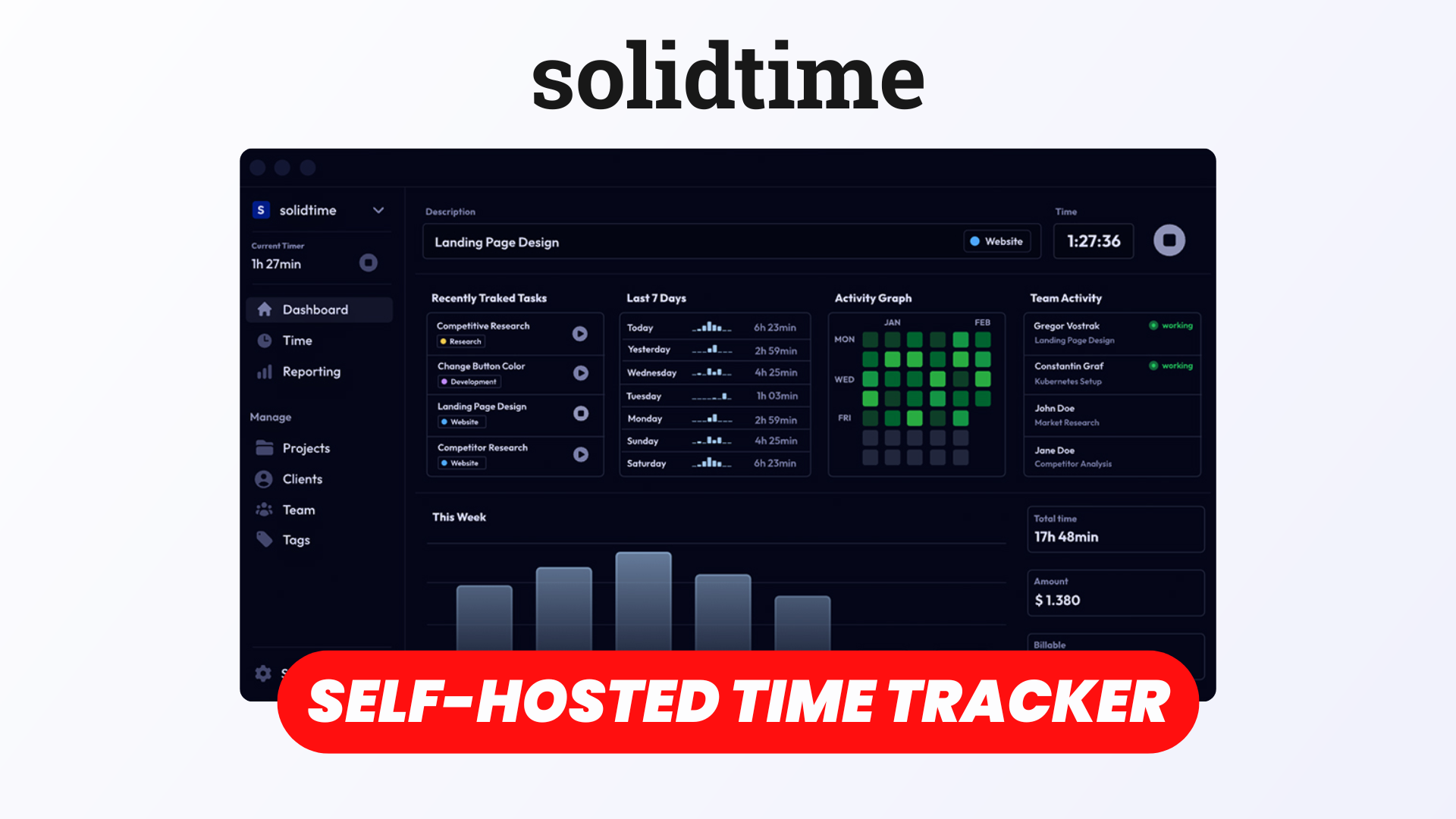
Tracking time is essential for freelancers, agencies, and businesses that need to monitor productivity, manage projects, and accurately bill their clients. However, popular time-tracking solutions like Toggl Track and Clockify can become expensive as your team grows or you need access to more advanced features.
That's where Solidtime comes in!
Solidtime is a modern, open-source time-tracking platform that helps individuals and teams organize their work, track billable hours, manage clients, and generate detailed reports.
With its clean interface, flexible tracking options, and self-hosting capabilities, Solidtime offers a compelling alternative to traditional subscription-based time trackers.
In this article, we'll explore its main features and see how it can simplify time tracking and project management.
Start using Solidtime with Elestio
Watch our dedicated video
Projects
Solidtime organizes your work around projects, making it easy to track how much time you spend on different activities.
You can create projects for individual clients, internal initiatives, or specific assignments and keep all related time entries organized in one place.
Each project can be customized with details such as its name, associated client, and billing configuration.
For more granular tracking, you can also create tasks within projects, allowing you to distinguish between different types of work.
For example, a development agency could create a project for a client's website and separate tasks for design, frontend development, testing, and maintenance.
Projects can also be assigned to team members, making it easier to coordinate work and monitor everyone's contributions.
This structured approach helps teams understand where their time goes and identify which projects require the most resources.
Billable Time Tracking
One of Solidtime's most useful features is its ability to distinguish between billable and non-billable time.
When tracking an activity, you can specify whether the time should be billed to a client.
Solidtime also supports flexible hourly billing rates, which can be configured at different levels:
- Organization-wide rates
- Individual team member rates
- Project-specific rates
- Rates for specific team members within a project
This flexibility is particularly useful for agencies and freelancers working with different clients or charging different rates depending on the type of work.
For example, you might charge $100 per hour for development and $75 per hour for consulting.
Solidtime automatically calculates the billable value of tracked time based on the applicable rate, helping you estimate project revenue and prepare accurate invoices.
You can also track non-billable activities, such as internal meetings, administrative tasks, or training, without including them in your client billing.
Desktop App for Automated Tracking
Solidtime isn't limited to its web interface.
It also provides a desktop application that makes time tracking more convenient while working on your computer.
Instead of constantly switching back to your browser, you can manage your tracking directly from your desktop.
The application supports activity-based tracking workflows, helping you review your work and reduce the amount of time spent manually reconstructing your day.
This is especially useful for developers, designers, consultants, and other professionals who frequently switch between different applications and projects.
By making time tracking more accessible throughout your workday, Solidtime helps you maintain more accurate records without interrupting your workflow.
List, Calendar, & Timesheet Views
Everyone has different preferences when it comes to managing their time.
Solidtime addresses this by providing multiple ways to visualize and organize time entries.
List View
The list view displays your tracked activities chronologically, making it easy to review individual entries, edit durations, and assign projects or tasks.
It's particularly convenient for users who prefer a straightforward overview of their daily activities.
Calendar View
The calendar view offers a more visual representation of your schedule.
You can see how your time is distributed throughout the day and review when specific activities took place.
This makes it easier to identify gaps in your tracking or understand how your workday was structured.
Timesheet View
For users who prefer a weekly overview, Solidtime provides a timesheet organized by projects and days.
You can enter durations directly into the timesheet, making it convenient to record hours for recurring activities.
It also includes options to copy rows or entries from previous weeks, saving time when your schedule follows a similar pattern.
These different views allow Solidtime to adapt to both real-time tracking and manual time entry workflows.
Reporting
Tracking time is useful, but understanding how that time is spent is just as important.
Solidtime includes reporting tools that transform your time entries into actionable insights.
You can analyze tracked hours across projects, clients, and team members to better understand your workload and productivity.
Reports can be filtered and grouped according to different criteria, helping you answer questions such as:
- Which projects consume the most time?
- How many billable hours did the team complete this month?
- Which clients generate the most billable work?
- How is work distributed between team members?
You can also export reporting data for further analysis or use it in your existing accounting and business workflows.
For freelancers, these reports provide a convenient way to prepare client billing.
For agencies, they offer better visibility into project profitability, resource allocation, and team activity.
Premium Billing Feature
Beyond time tracking and reporting, Solidtime also offers a premium billing feature.
This functionality allows businesses to turn their tracked billable hours into invoices directly within the platform.
Instead of exporting time entries and manually recreating them in another application, you can streamline the process of preparing client invoices.
The billing functionality supports invoice generation and tax-related information, including VAT.
It's important to note that the built-in invoicing functionality is a paid feature, while the open-source edition provides the core time-tracking, project management, and reporting capabilities.
For businesses that already use dedicated accounting software, the free edition may be sufficient.
However, teams looking for a more integrated workflow can consider the premium billing option.
Clients
Solidtime also includes client management features to help organize your business relationships.
You can create client profiles and associate projects with the corresponding clients.
This makes it easier to manage multiple customers without mixing their time entries or project information.
For example, a freelance developer working with five different businesses can create a client for each company and organize their projects underneath.
When generating reports, you can filter tracked time by client to understand how much work has been completed for each customer.
This is particularly valuable for agencies and service-based businesses that need accurate records for billing, reporting, and project management.
Team Members
Solidtime isn't just designed for individual freelancers. It also supports collaborative time tracking for teams.
You can invite team members to your organization and manage their access through different roles and permissions.
Available roles include Owner, Admin, Manager, and Employee, allowing you to control what each person can access and manage.
Team members can track time against shared projects, while managers can review activities and analyze team performance through reports.
You can also configure individual billing rates to account for different roles, responsibilities, or client agreements.
This makes Solidtime suitable for small agencies, development teams, consulting companies, and other organizations that need a centralized solution for tracking work.
Documentation
Solidtime provides official documentation covering its main features, configuration options, and self-hosting process.
Whether you're learning how to create projects, configure billing rates, manage users, or deploy your own instance, the documentation offers guidance to help you get started.
Developers and system administrators can also find information about installation and configuration.
Since Solidtime is open source, you can host it on your own infrastructure and maintain control over your application and data.
If you'd rather avoid managing servers, updates, security, and backups yourself, you can deploy Solidtime through Elestio.
Elestio provides fully managed hosting with automated backups, monitoring, SSL certificates, and software updates, allowing you to focus on using Solidtime instead of maintaining its infrastructure.
Solidtime Official Documentation
Conclusion
Solidtime is a powerful open-source alternative to Toggl Track and Clockify, combining time tracking, project management, client organization, and reporting in a modern interface.
Its flexible billing rates, multiple time-entry views, desktop application, and team management features make it particularly attractive for freelancers, agencies, and businesses that need reliable time tracking.
While advanced invoicing requires a premium license, the free open-source edition already includes many of the essential tools needed to manage projects and track billable hours.
And with the option to self-host, Solidtime gives you greater control over your data and infrastructure.
If you're looking for an open-source time-tracking solution without the limitations of traditional SaaS platforms, Solidtime is definitely worth exploring.
Ready to try Solidtime?
Get started with a fully managed instance on Elestio and enjoy automated deployment, backups, updates, and monitoring without the complexity of managing your own server.